Introduction
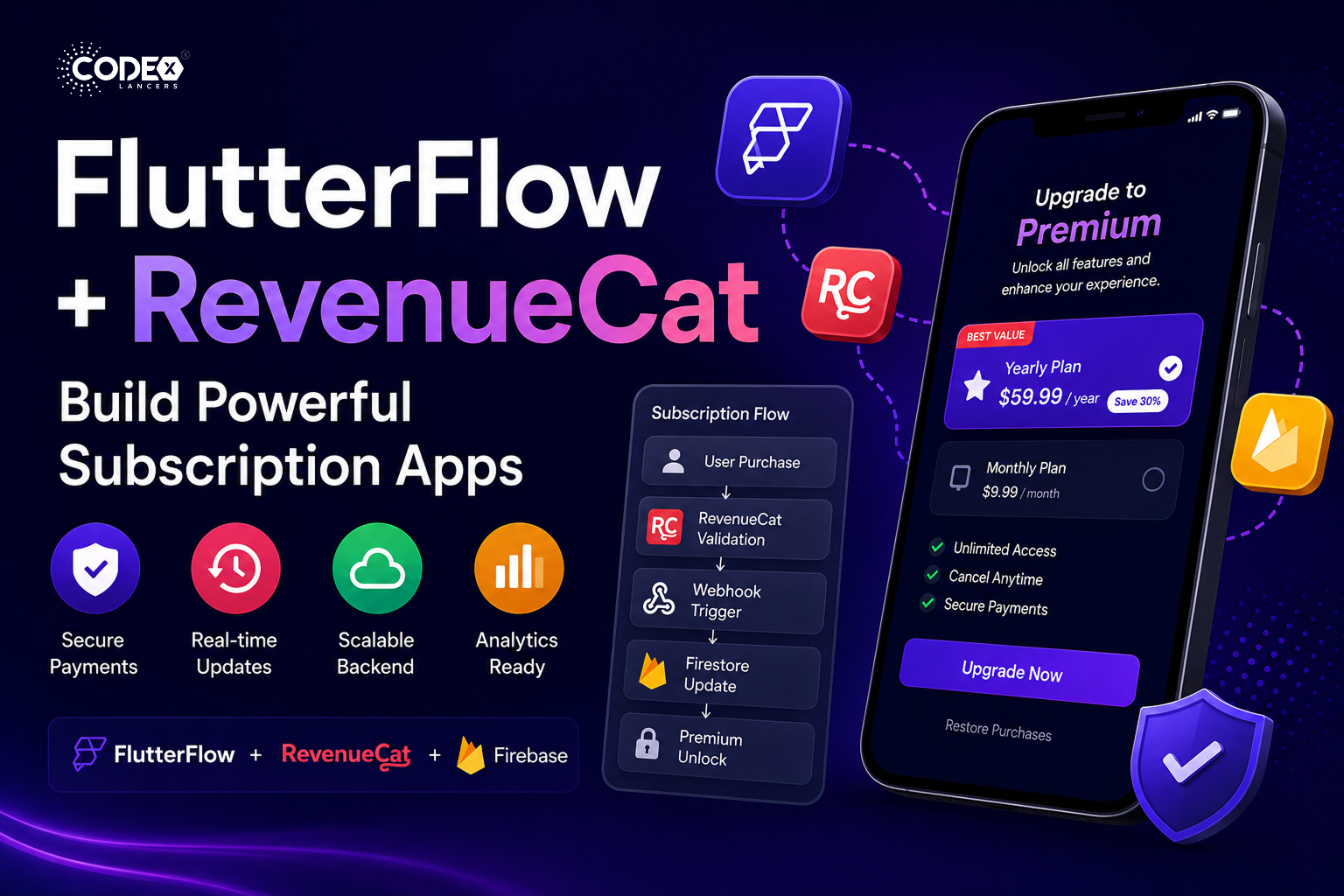
If you’re building a SaaS or premium mobile app, subscriptions are one of the most reliable monetization models. But implementing them correctly involves more than just adding a payment button you need secure validation, real-time status updates, and proper handling of edge cases like expiry, restore, and refunds. Here’s how I implemented a production-ready subscription system using FlutterFlow + RevenueCat + Firebase.
Why RevenueCat?
Instead of directly handling App Store / Play Store billing, RevenueCat simplifies everything with a single integration for both iOS & Android.
- Single integration for both iOS & Android
- Handles receipts, validation, and renewals
- Real-time subscription status via webhooks
- Reduces development complexity significantly
System Architecture
- FlutterFlow App (Frontend) : User interacts with UI (Upgrade, Restore).
- RevenueCat SDK : Handles the purchase flow.
- RevenueCat Server : Validates transactions.
- Firebase (Firestore + Cloud Functions) : Stores subscription status and triggers updates.
Complete Subscription Flow
- User Action : User clicks “Upgrade to Premium”.
- Purchase Trigger : RevenueCat SDK opens native purchase screen (App Store / Play Store).
- Payment Processing : Payment handled securely by Apple/Google; RevenueCat validates the purchase.
- Webhook Trigger : RevenueCat sends event to Firebase Cloud Function.
- Firestore Update : User document is updated with subscription status.
- UI Update : FlutterFlow listens to Firestore; premium features unlock instantly.
Firestore Database Structure
users collection
{
  "userId": "123",
  "isPremium": true,
  "plan": "yearly",
  "expiryDate": "timestamp"
}
subscriptions collection
{
  "planId": "monthly_001",
  "price": 9.99,
  "duration": "1 month"
}
events collection critical for tracking revenue, debugging, and analytics:
{
  "userId": "123",
  "eventType": "PURCHASE",
  "timestamp": "server_time"
}
Handling Edge Cases (Most Developers Miss This)
- Expired Subscription : Check
expiryDateregularly and disable premium access automatically. - Restore Purchases : Add a Restore button, sync with RevenueCat, and update Firestore again.
- Cancelled Subscription : RevenueCat webhook updates backend; access removed after expiry date.
- Refunds : RevenueCat sends a refund event; immediately update user access in Firestore.
Backend Validation (Critical)
- Never trust frontend logic always validate subscription status from the backend.
- Prevents fake unlock hacks.
- Ensures real subscription status is always enforced.
- Keeps your app secure against manipulation.
Performance & Cost Optimization
- Avoid excessive reads : store only required subscription fields, don’t fetch full history every time.
- Use real-time listeners smartly : listen only to the user document, avoid unnecessary listeners.
- Cache subscription status : reduce repeated API calls.
UI Best Practices (Conversion Focused)
- Highlight the best plan (yearly)
- Show a discount badge (e.g. “Save 30%”)
- Clear CTA: “Upgrade Now”
- Add trust elements (secure payment, cancel anytime)
Conclusion
FlutterFlow + RevenueCat is a powerful combination for building subscription-based apps quickly. But the real difference comes from proper backend validation, clean database design, and handling real-world edge cases. That’s what turns a basic app into a production-ready SaaS product.